Laser Cutting and Engraving
Plan your laser-cut or engraved project
Laser engraving marks a surface; laser cutting follows a cut path through a suitable material. The item material, coating, shape, dimensions, and artwork determine what is possible. Contact our team before bringing or shipping customer-supplied items.
Send the material information, item dimensions, quantity, artwork, finished design size, and engraving or cutting location. Identify which parts of the design should be cut or engraved. For tumblers and similar projects, see our custom laser-engraved drinkware options.
Review current service load levels and include your needed-by date. Production and shipping time are separate; our team will confirm the project schedule and any delivery arrangements.
Laser cutting and engraving (also know as laser etching or laser marking) uses a beam of concentrated light to permanently cut or mark a surface. These processes can be used independently or in combination with each other. They work with a wide variety of materials.
Equipment:
We operate a Class 2, 50-Watt Epilog Fusion Pro 32 CO2 laser. Our laser is equipped with an internal camera to make perfect positioning a breeze. We also have a rotary attachment for cylindrical items.
Artwork:
The laser can work with virtually any file type. Generally speaking, if you can open a file on your screen, you can probably send the file to the laser for output. However, certain file types and setups are needed for specific results.
Laser Cutting:
Vector files are required. The cutline must be a hairline outline. Outlines wider than hairlines will not work. Acceptable files: Corel Draw (.cdr), Adobe Illustrator (.ai), .svg, .eps, and in some cases, .pdf files.
Laser Etching/Engraving:
File types: Any raster image works for etching/engraving. We can use good quality .jpg, .gif, .bmp, .psd, .png, and other raster file types. 300 dpi files are recommended for best results. Vector files also work for etching. Acceptable files: Corel Draw (.cdr), Adobe Illustrator (.ai), .svg, .eps, and in some cases, .pdf files. When submitting vector files for etching/engraving, make sure they do not have hairline outlines (unless you want that line to become a cutline).
Combo: Files can be etched and cut when setup properly. For example, importing a photograph into Corel Draw or Adobe Illustrator and adding a hairline outline will first engrave the image, then cut it out.
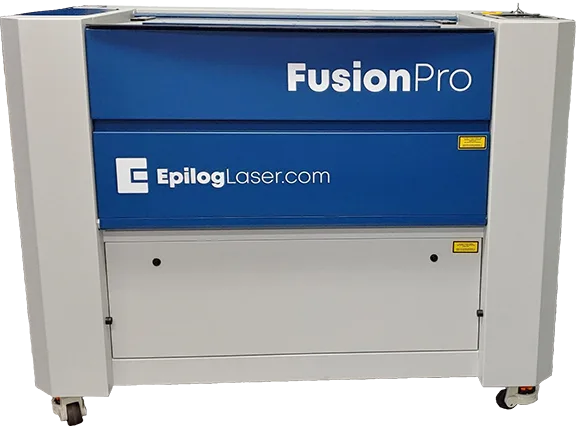
Our Epilog Fusion Pro 50 Watt Laser for Laser cutting and engraving
Compatible Materials:
Cutting: Wood, Acrylic, Fabric, Delrin, Cloth, Leather, Matte Board, Melamine, Mother of Pearl, Paper, Mylar, Pressboard, Rubber, Wood Veneer, Fiberglass, Plastic, Cork, and Corian.
Etching/Engraving: Wood, Acrylic, Fabric, Glass, Coated Metals, Ceramic, Delrin, Cloth, Leather, Marble, Matte Board, Melamine, Mother of Pearl, Mylar, Pressboard, Rubber, Wood Veneer, Fiberglass, Painted Metals, Tile, Plastic, Cork, Corian, Anodized Aluminum.
Non-Compatible Materials:
Products with Hydrogen Chloride and Vinyl Chloride are not allowed! These chemicals are found mostly in PVC and other man-made materials. Cutting, etching, or engraving these materials is hazardous for the machine and human health. Therefore, any questionable customer-supplied materials will require a Material Safety Data Sheet before laser engraving. These information sheets will indicate if the product in question contains any potentially harmful chemicals.
Design Locations:
Design locations vary by product. Our laser has a maximum work area of 32” long x 20” wide x 12.25” tall. The table has a 100 lb. weight limit. Most items will need to fit inside the unit and lay flat. The table height is adjustable and allows different items to be rigged in a manor they can lie flat on the portion being cut, etched, or engraved. For cylindrical items, the rotary attachment has a 6.5” diameter limit.
Laser Design Ideas:
The possibilities of what you can do with a laser are almost endless. For example, you can etch your corporate logo into fleece, create kiss-cut appliques, etch a design in food, or engrave flasks for groomsman gifts. Additionally, you can etch your brewery logo in a beer glass, engrave a photograph into wood for a wedding gift, create custom jigs, or engrave awards and trophies for sports teams. A laser also allows you to etch complex Siser Easyweed and Glitter Flake (they are both PVC-free HTV) vinyl designs without weeding, create signs, and so much more. Check out Epilog’s photo gallery for examples. Examples of some things we have created be found further down on this page.
Product Care:
Apparel: Laser etching is highly recommended for fleece and dark denim. Follow normal care directions. Over time, the dyes from denim made begin to re-dye the etched area.
Glassware: Laser etchings are dishwasher-safe, but not all products are. See original product manufacturer recommendations to determine if item is dishwasher-safe.
All other items: See manufacturer guidelines for each product.
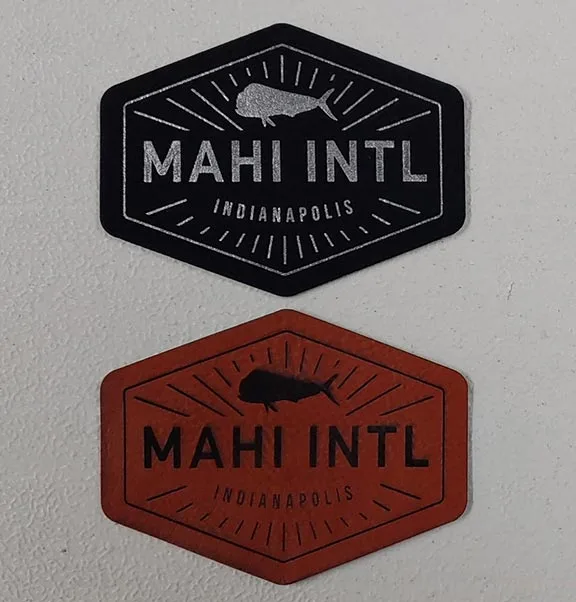
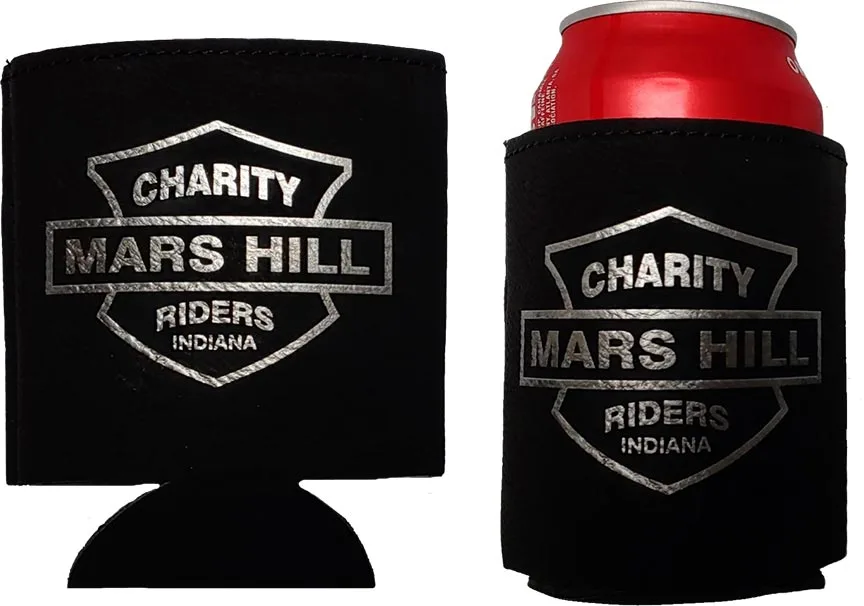
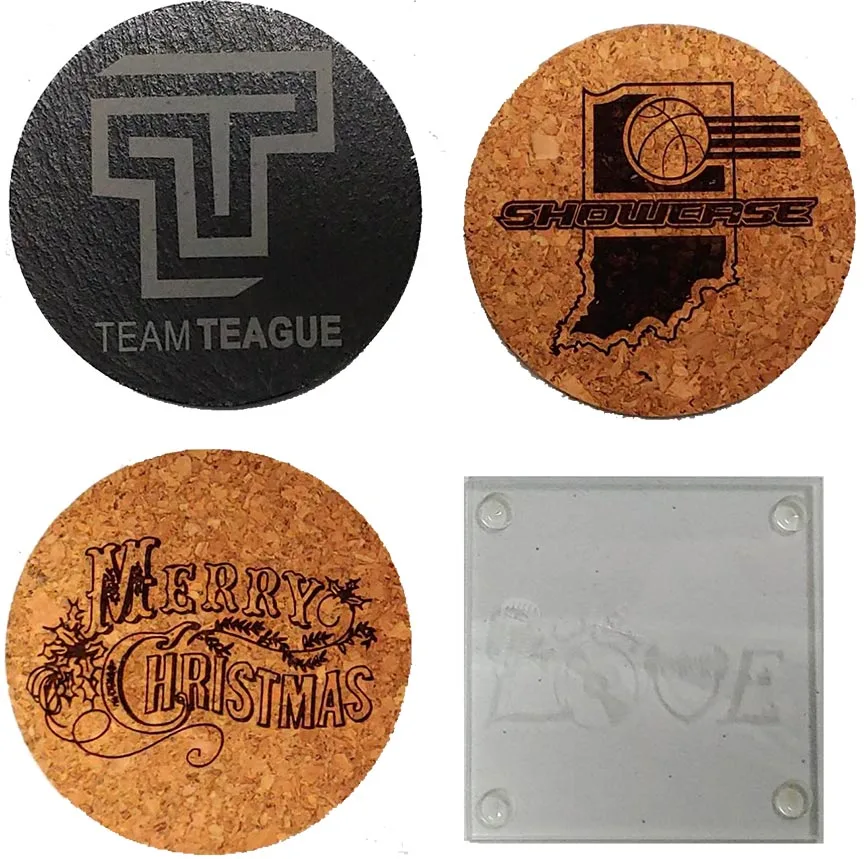
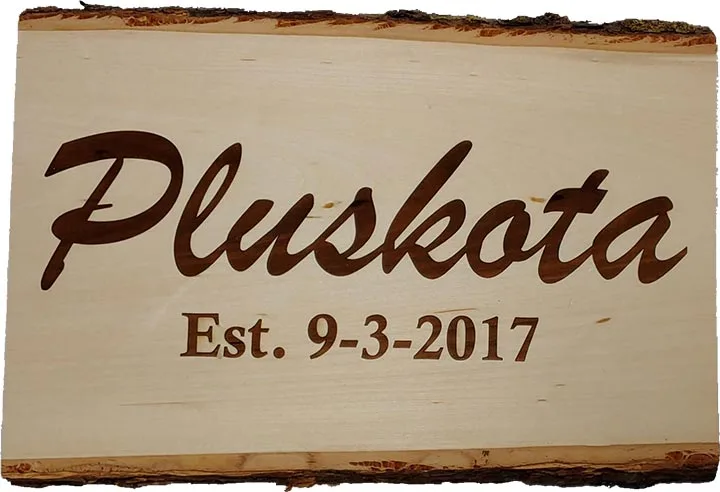
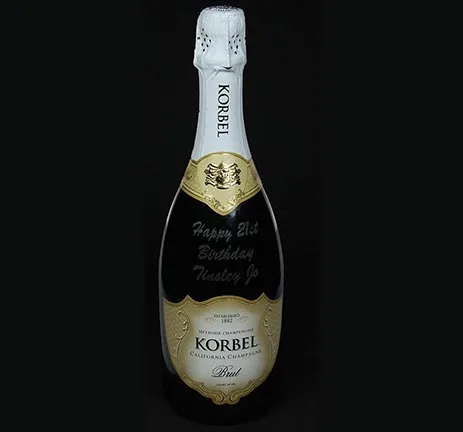
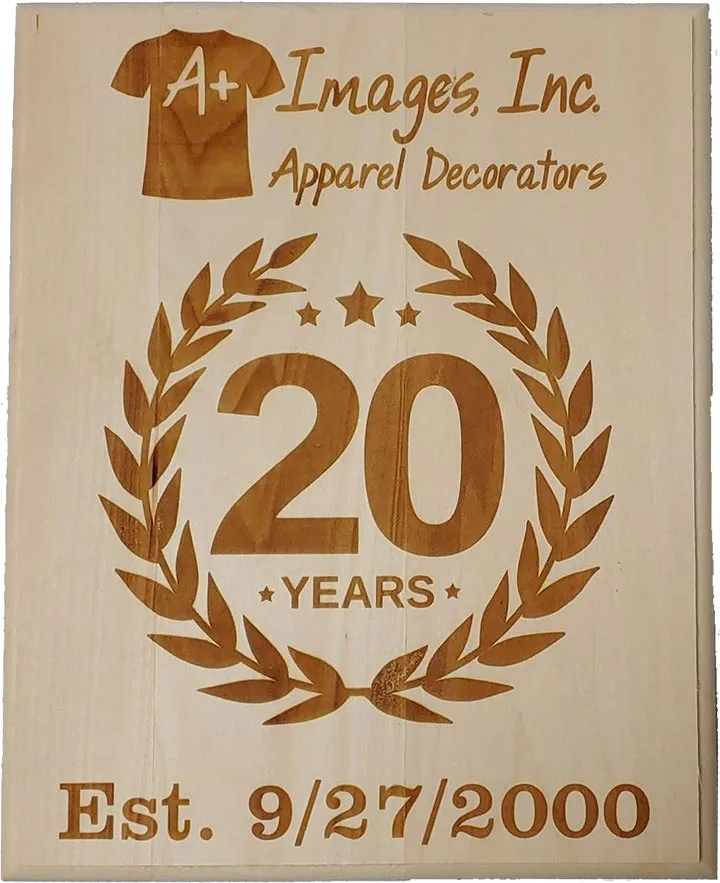
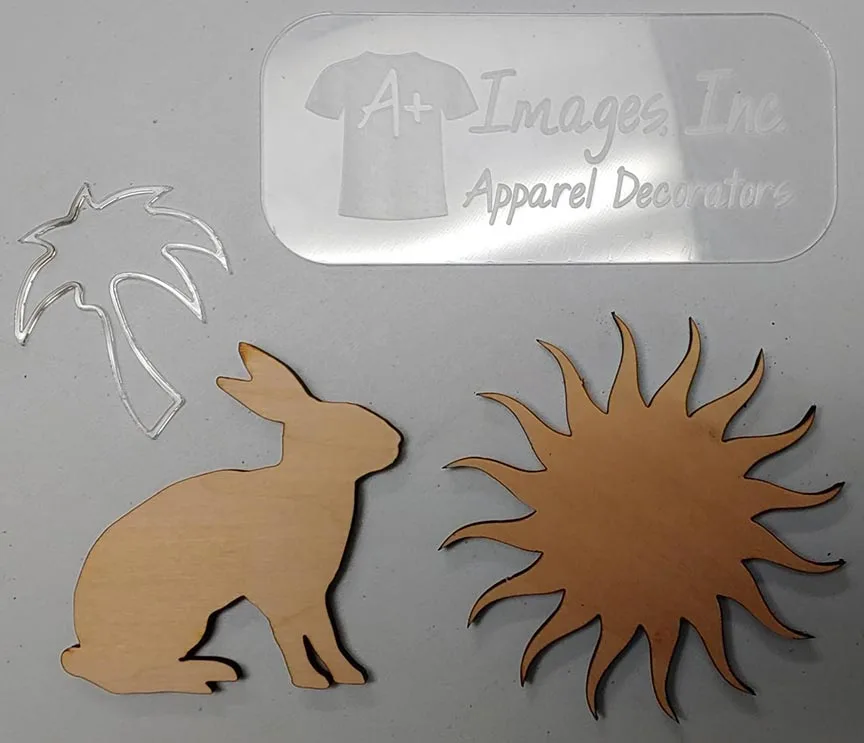
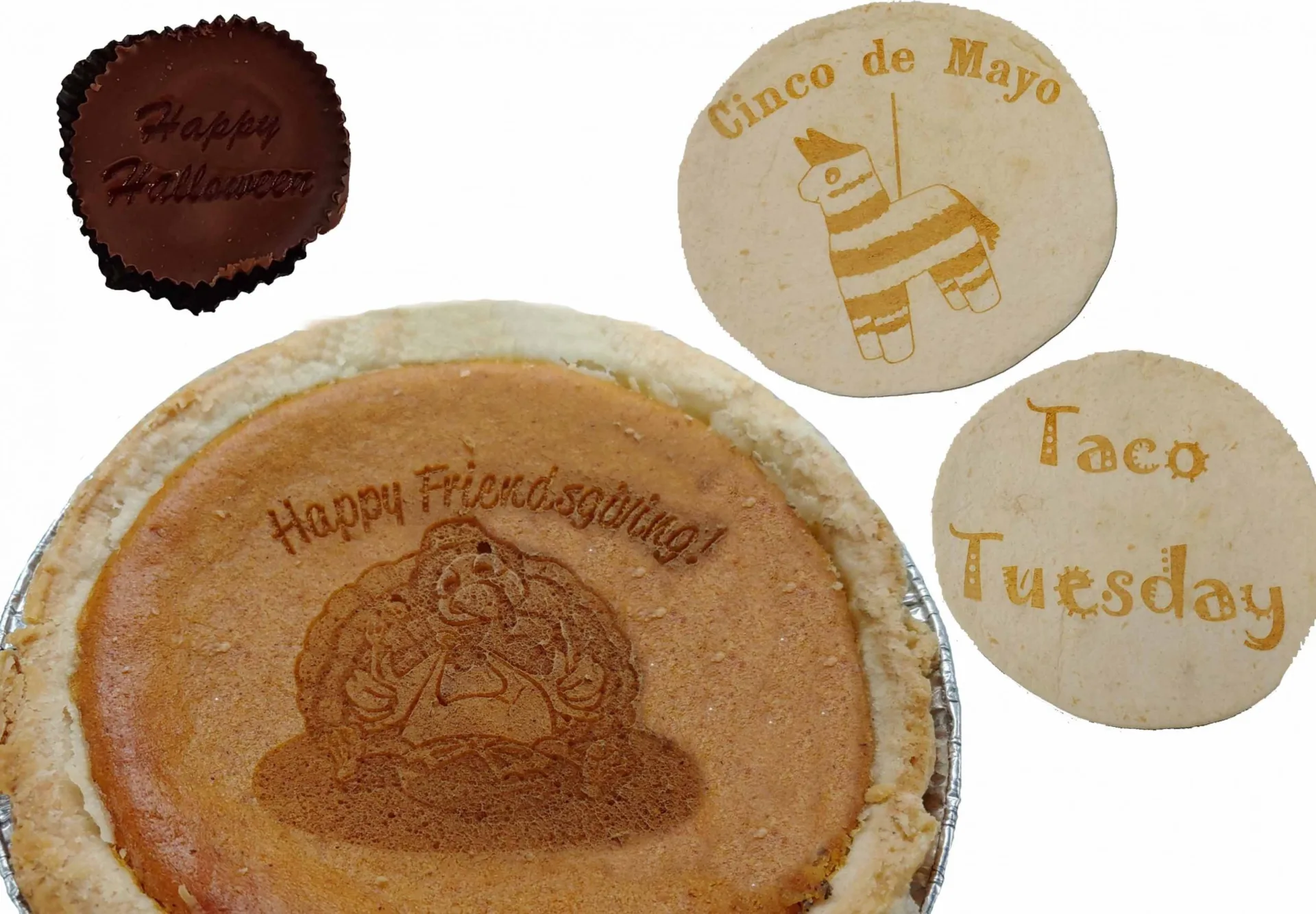
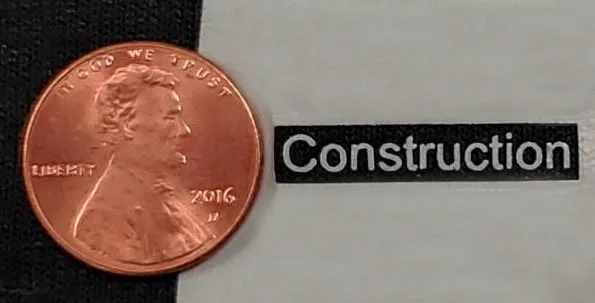
We have samples of all this and more in our office. Please contact us to schedule an appointment and check them out, get your questions answered, and see if laser engraving is right for your apparel project!
A+ Images serves Indianapolis and surrounding communities. Explore the areas we serve or contact our team to discuss your project and delivery needs.
Not located in one of these cities? We also service Bloomington, Fort Wayne, Terre Haute, Evansville, Northwest Indiana. Contract pricing is also available.
For questions about laser cutting or engraving, please contact us via email, or call 317-405-8955.
Frequently asked questions
What is the difference between laser cutting and engraving?
Cutting passes through a suitable material to create a shape. Engraving marks or removes part of its surface. The material, thickness, shape, and desired finish determine what is possible.
What materials can A+ Images laser engrave or cut?
We work with a range of suitable materials, but not every item can be safely processed. Send the material name, dimensions, thickness, and product details so we can assess your project.
Can you laser process PVC or unknown plastics?
We do not laser process materials containing vinyl chloride or hydrogen chloride. Unknown customer-supplied materials may require a safety data sheet before we can determine whether they are suitable.
What artwork do I need for laser cutting or engraving?
Send the original design with finished dimensions and identify any areas to cut or engrave. Vector paths are important for cutting; we will review the file requirements for your specific material and result.
Can you engrave an item I already own?
Contact us before bringing or shipping an item. We need to review its material, coating, dimensions, shape, and engraving location to determine whether we can accept it.
Have another question? Visit our complete FAQ page or contact our team.